 Hyro Music
Screens
Features
Install
FAQ
Download
Free / No ads / Android
Hyro Music.
Made for synced lyrics, album colors, offline listening, your playlists and zero ads.
An ad-free Android music player. Stream, download, follow synced lyrics, and create playlists. Your music, your colors.
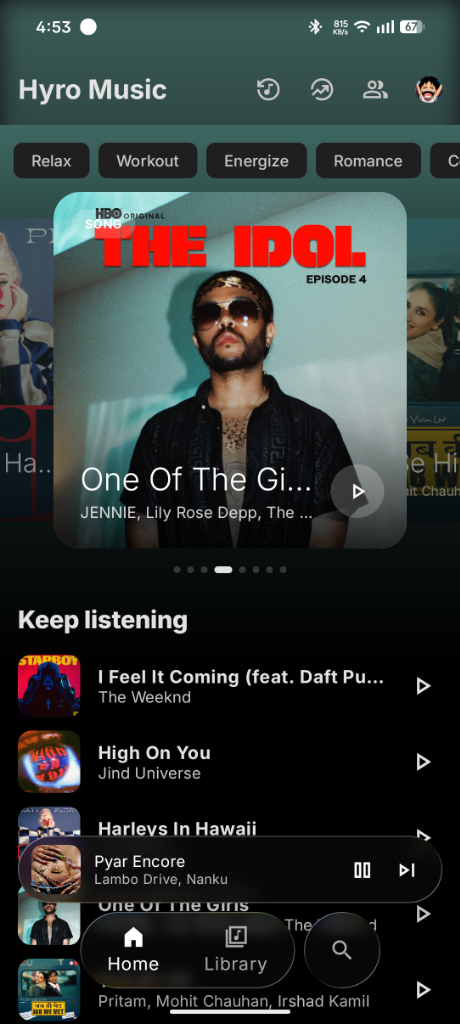
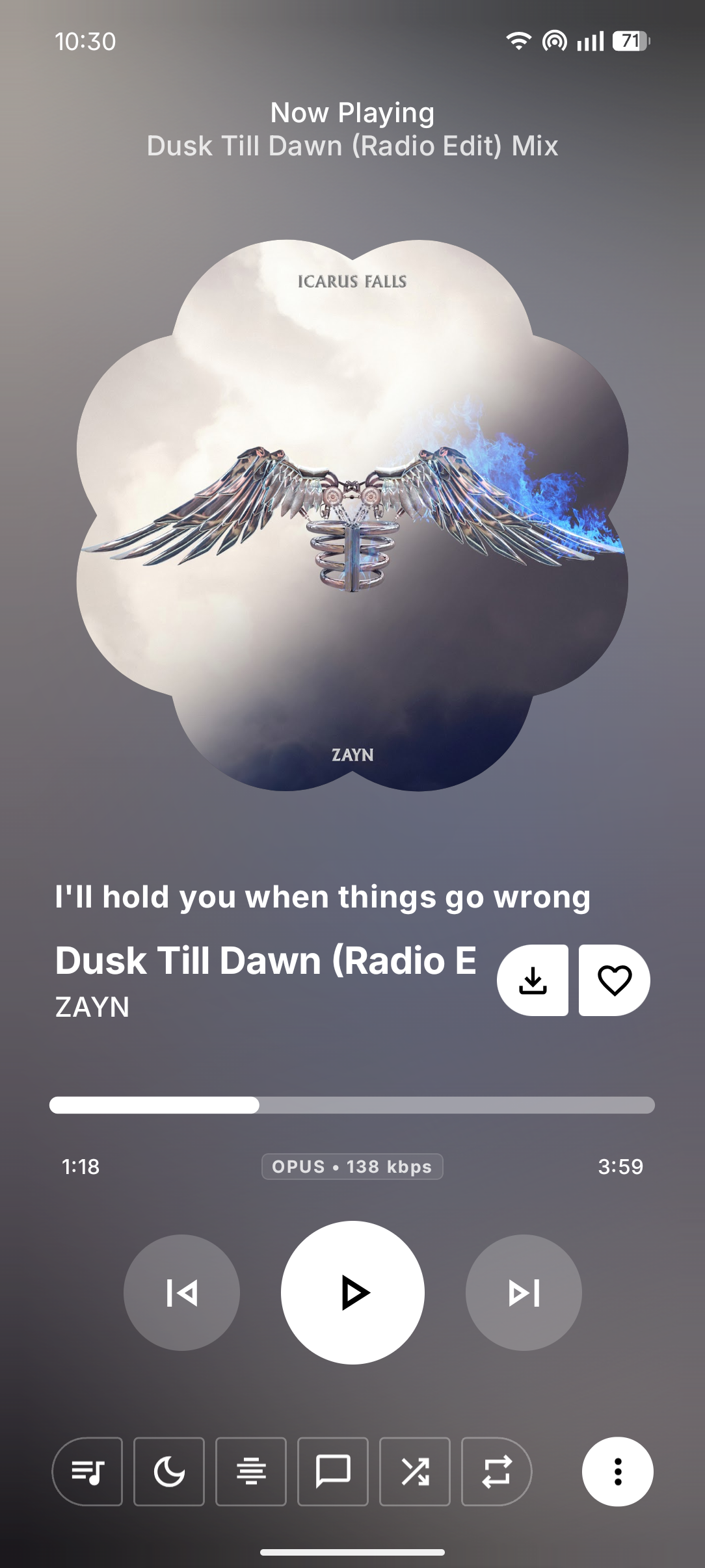
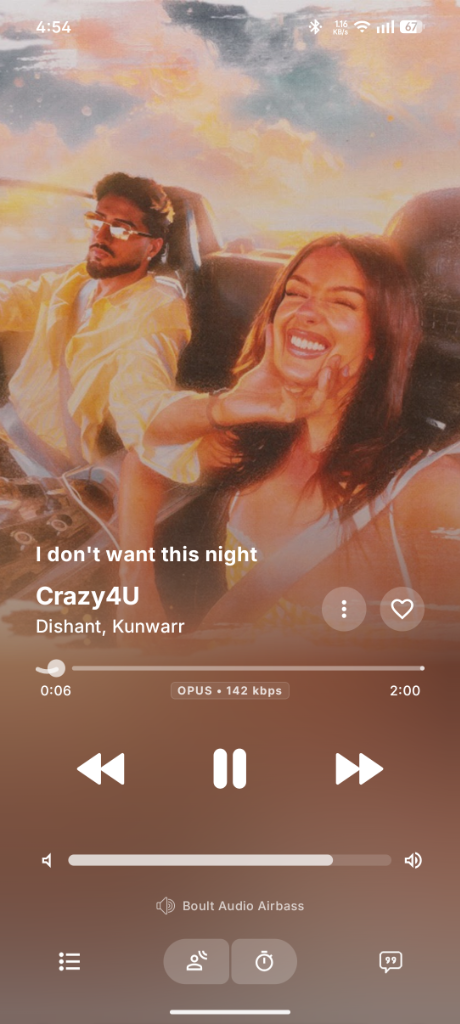
How it looks
What it does
Built around the song that is playing.
-
A player that matches the song
Background, buttons and lyrics take their colors from the cover art, in an Apple Music inspired layout.
-
Lyrics that keep up
Synced lyrics with several animation styles. Swipe to change song.
-
Animated covers
Shows moving album art where it is available.
-
Playlists you control
Reorder by dragging, sort your way, export to CSV.
-
Listen offline
Download songs and playlists to play without a connection.
-
Recognize and import
Identify a song playing nearby, or bring in playlists from Spotify.
-
Listen TogetherIn production
Currently in production.
What's new
Three steps
No store needed, just the file.
- Download the APKTap a download button. Not sure which one? Pick Universal, it works on every device. Your browser may ask you to confirm.
- Allow the installAndroid asks for permission to install apps from your browser or file manager. Allow it once. You can turn it off again afterwards.
- Open the file and tap InstallFind it in your notifications or Downloads folder, tap Install, then open the app.
Questions
Which APK should I download?
Universal is recommended. It is compatible with all devices. ARM64 is a smaller file, but it only runs on 64-bit phones, which covers most devices made in the last few years.
Is it free?
Yes. Downloading and using the app costs nothing, and there is no subscription or paid tier.
Is it safe to install?
Each release is built automatically and signed with the same key every time. Only download Hyro Music from this page.
Every release is scanned with VirusTotal, which checks files against 60+ antivirus engines. You can open the public report and see the results yourself.
Android shows a warning when you install outside a store. It appears for every app that does not come from Google Play, so it is not a sign that something is wrong with this one.
Where does the music come from?
The app is a player for YouTube Music. It is an independent project and is not affiliated with, endorsed by, or sponsored by YouTube or Google.
Do I need an account?
No account is needed to search and play. Signing in is optional and is only useful if you want your own library and playlists.
Is it on Google Play?
Not at the moment. New versions are published here and on GitHub.
How do I update?
Download the newest APK from this page and install it over the old one. Your playlists and settings are kept, because every release is signed with the same key.
Hear it in color.
Free, ad-free and ready to install. Grab the latest APK and let the player take on the color of your music.